Calculate cell density from a hemocytometer with the correct formula. Step-by-step counting protocol, dilution factor math, trypan blue viability, and common mistakes to avoid. Free calculator included.
Knowing the exact density of your cell suspension is the foundation of every cell culture experiment. Seed too many cells and they overgrow and die; seed too few and they fail to proliferate. The hemocytometer (or haemocytometer) remains the gold standard for manual cell counting — cheap, reliable, and universal. This guide covers the counting formula, a step-by-step protocol, viability staining, and the mistakes that throw off your counts.
Why Cell Density Matters
Cell density is measured in cells per milliliter (cells/mL). You need it to:
Seed a known number of cells into a new flask or plate
Calculate split ratios during passaging
Set up assays (transfection, drug treatment, flow cytometry) with consistent cell numbers
Monitor growth rate and culture health
Determine if a culture is ready for an experiment
A rough estimate ("the flask looks confluent") is not enough. Different cell sizes and growth patterns make visual judgment unreliable. A hemocytometer count takes 5 minutes and gives you an exact number.
The Hemocytometer: How It Works
A hemocytometer is a thick glass slide with a counting grid etched into the center. The grid has 9 large squares, each 1 mm × 1 mm. The coverslip sits 0.1 mm above the grid, so each large square holds a volume of:
1 mm × 1 mm × 0.1 mm = 0.1 mm³ = 0.1 μL = 1 × 10⁻⁴ mL
The four corner large squares are each divided into 16 smaller squares — these are used for counting cells at normal density (10⁵–10⁷ cells/mL). The center large square is divided into 25 medium squares (each with 16 tiny squares) — used for high-density counts (red blood cells, concentrated cultures).
The Cell Density Formula
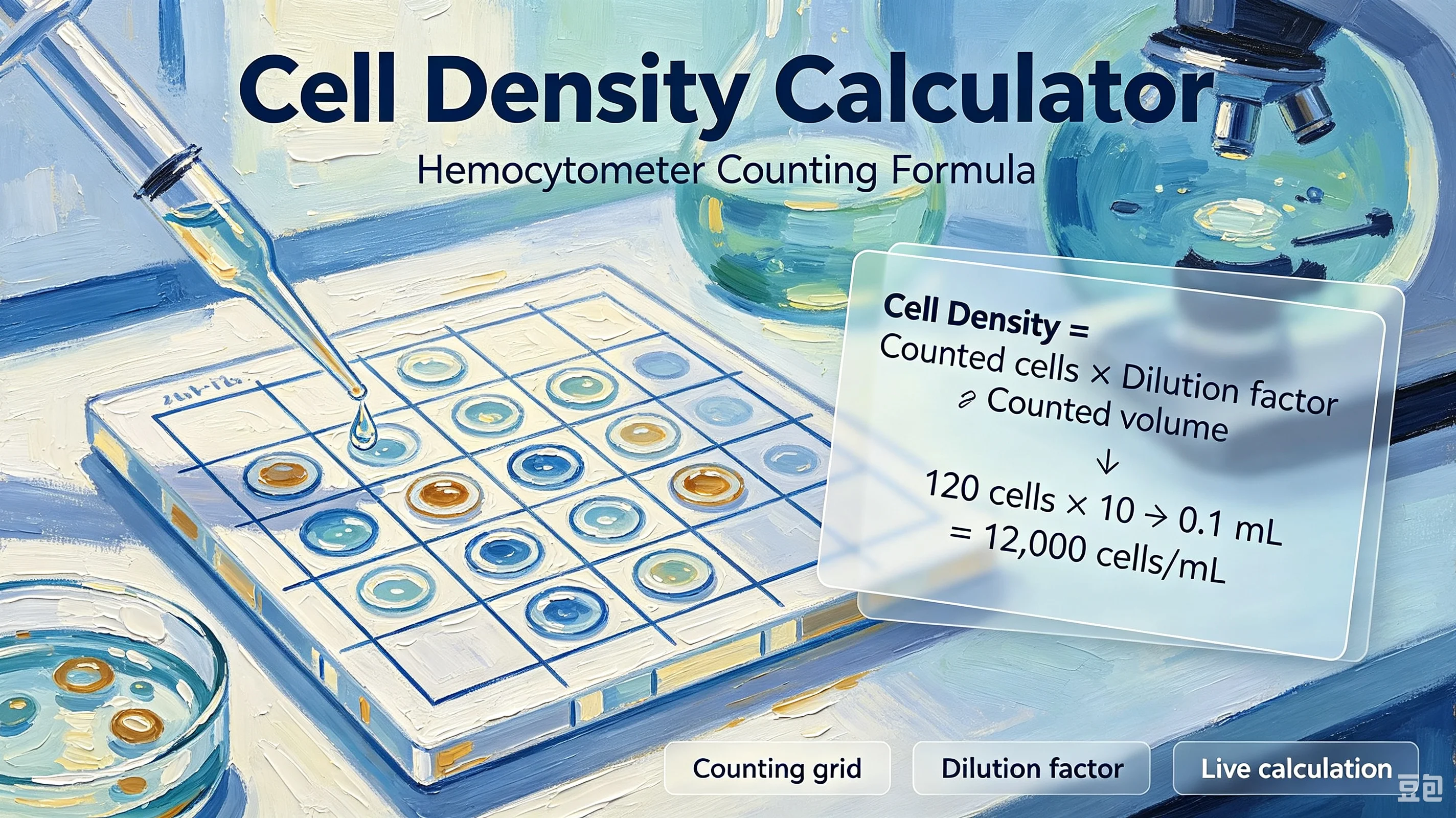
The core formula for converting a hemocytometer count to cells/mL is:
Cells/mL = (Total cells counted ÷ Number of large squares counted) × Dilution factor × 10⁴
Where:
Total cells counted = the number of cells you counted across all squares
Number of large squares counted = typically 4 (the four corner squares)
Dilution factor = how much you diluted the sample (e.g., 1:1 with trypan blue = dilution factor 2; no dilution = 1)
10⁴ = the conversion factor from cells/0.1 μL to cells/mL (because 1 mL = 10,000 × 0.1 μL)
Example: You count 120 cells across 4 corner squares. You mixed 10 μL cell suspension with 10 μL trypan blue (1:1 dilution, dilution factor = 2).
Cells/mL = (120 ÷ 4) × 2 × 10⁴ = 30 × 2 × 10⁴ = 6.0 × 10⁵ cells/mL
If your original flask had 5 mL of suspension:
Total cells = 6.0 × 10⁵ × 5 = 3.0 × 10⁶ cells
Step-by-Step Counting Protocol
Step 1: Prepare the sample Take a small aliquot of well-mixed cell suspension. For adherent cells, trypsinize and resuspend first. If the density is very high (>10⁷ cells/mL), dilute with PBS or media so cells are well-separated under the microscope.
Step 2: Stain for viability (optional but recommended) Mix equal volumes of cell suspension and 0.4% trypan blue. Incubate 1–2 minutes at room temperature. Trypan blue enters dead cells (damaged membranes) and stains them blue; live cells exclude the dye and remain translucent.
Step 3: Load the hemocytometer Place the coverslip on the counting chamber. Pipette 10 μL of stained sample into the V-shaped groove — capillary action draws the sample under the coverslip. Do not overfill or underfill.
Step 4: Count cells Using a microscope at 10× objective, count cells in the four corner large squares. Follow these rules:
Count only intact, round cells
Count cells touching the top and left borders; ignore those touching the bottom and right borders
If a clump has more than 5 cells, note it but count the clump as one (or re-mix and recount)
Count live (unstained) and dead (blue) cells separately if using trypan blue
Step 5: Calculate Apply the formula above. For best accuracy, aim for 50–100 cells per large square. If you count fewer than 20 cells per square, your sample is too dilute — concentrate or count more squares. If you count more than 200 per square, dilute further and recount.
Calculating Viability
If you used trypan blue, calculate viability as:
Viability (%) = (Live cells ÷ Total cells) × 100
Where Total cells = Live cells + Dead (blue) cells.
Example: You count 95 live cells and 5 dead cells across 4 squares.
Viability = (95 ÷ 100) × 100 = 95%
Healthy cultures should have >90% viability. Below 80% indicates stress, contamination, or over-trypsinization — consider discarding the culture.
Common Mistakes
Not mixing the suspension before sampling. Cells settle quickly. Pipette up and down 3–5 times immediately before taking your aliquot.
Overfilling the chamber. If sample flows into the moat around the grid, the volume is no longer 0.1 μL per square. Clean and reload.
Counting clumps as individual cells. A clump of 10 cells is not 10 individual cells in suspension. If clumping is severe, re-mix or filter through a cell strainer.
Forgetting the dilution factor. If you mixed with trypan blue 1:1, your count is half the real density. Always multiply by the dilution factor.
Counting both live and dead cells for seeding. For seeding calculations, use only the live cell count. Dead cells won't attach or grow.
Using the wrong squares. For most mammalian cell cultures, use the four corner large squares. The center square (with 25 medium squares) is for very high-density samples like blood.
When to Use an Automated Counter
Hemocytometers are cheap and always available, but they have limitations:
Slow — each sample takes 5–10 minutes
Subjective — different people count differently (inter-operator variability ~10–20%)
Low throughput — fine for 1–2 samples, tedious for 10+
Automated cell counters (e.g., Countess, TC20) use image analysis and give results in 30 seconds. They're more consistent but cost $3,000–$10,000. For most labs, a hemocytometer is sufficient for routine work; an automated counter is worth it if you count many samples daily.
Start Calculating
Use the chembioTube Cell Density Calculator to convert your hemocytometer counts to cells/mL instantly. Enter cells counted, number of squares, and dilution factor — get density, total cells, and viability in one click. Free, no signup, runs in your browser.